Refurbished MacBooks & iMacs for Content & Video Editing in Malaysia

Color-accurate displays, sustained performance under extensive rendering loads and verified battery health for video editors, graphic designers and content creators at 30-40% below new cost.

Creative Professionals

Creative professionals have specific hardware demands: color-accurate displays (DCI-P3 or Adobe RGB gamut for grading), fast NVMe storage for 4K/6K media scrubbing, RAM headroom for multi-track timelines and CPUs that sustain boost clocks during long renders without thermal throttling.

Apple Silicon has transformed creative workflows across both MacBook Pro and iMac, delivering exceptional performance for video editing, graphic design, photography, music production and 3D content creation. Unified memory, fast SSD storage and optimized software enable smooth editing of high-resolution media while maintaining excellent power efficiency.
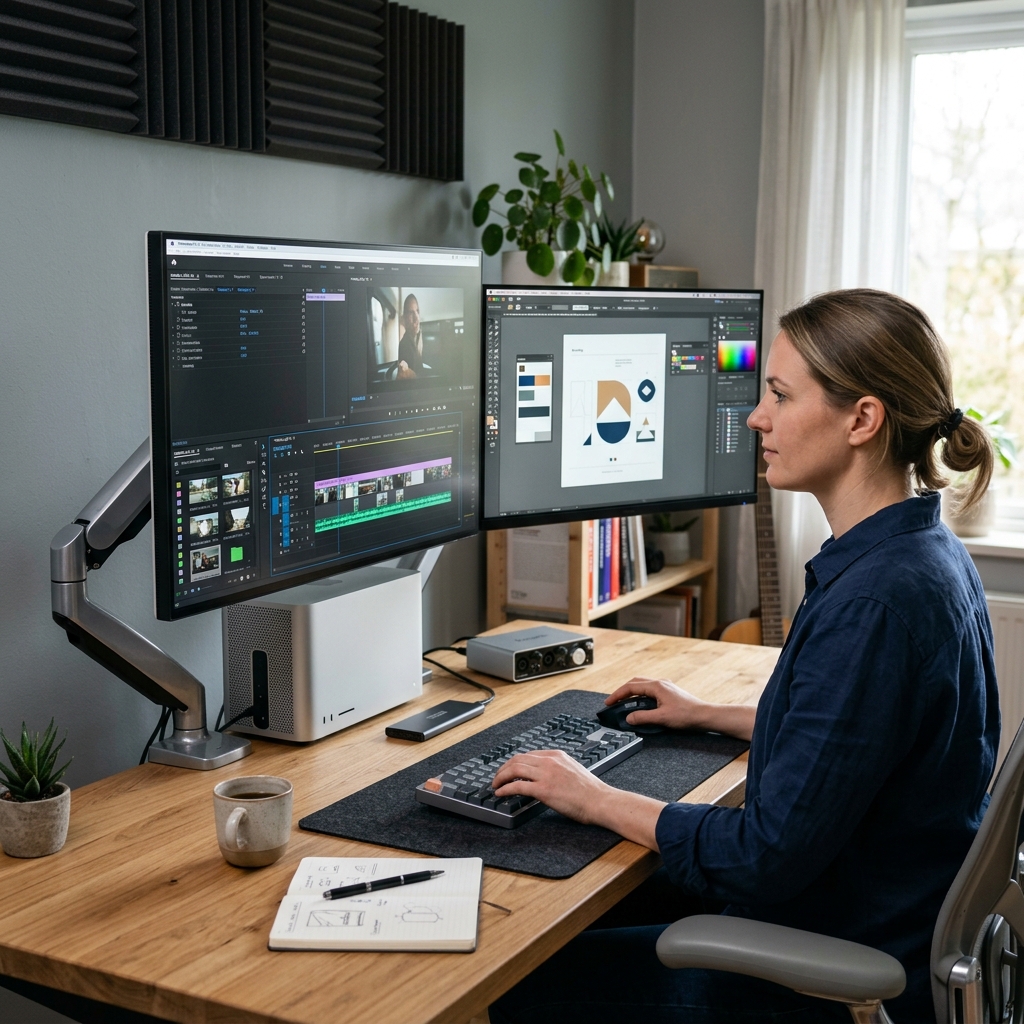
Creative Professional Workspace

Why Creative Professionals Choose Refurbished

Color Accuracy Matters

Display color accuracy (DCI-P3 or Adobe RGB gamut) is essential for video grading, photo retouching and graphic design. Consumer laptop displays are sRGB only, inadequate for professional color work. Every creative laptop we supply has a color-accurate display.

Performance Under Sustained Load

Rendering a 10-minute 4K timeline, exporting a high-resolution image sequence or compiling a complex effects session takes hours. During these operations, CPU and GPU must sustain boost clocks without thermal throttling. Professional-grade thermal design is essential for consistent performance and reliable productivity.

Reliable Hardware for Professional Work

Whether you're working on location or from a studio, reliability is essential. Every MacBook Pro includes verified battery health and cycle count, while every iMac undergoes comprehensive hardware testing to ensure dependable long-term performance.

Storage Speed for Media Workflows

NVMe storage speed directly impacts 4K/6K media responsiveness. Slow storage means timeline scrubbing lags, effects rendering stalls and proxy creation delays. Every creative device we supply has fast NVMe storage of 256GB or larger, verified for media performance.

Apple Hardware We Stock

Apple MacBook Pro M-Series

Apple Silicon's unified memory options deliver transformative performance for video editing: 4K/6K timelines play back in real time that Intel platforms struggle to match. Every unit has verified battery cycle count, screen inspection for dead pixels and brightness uniformity and MagSafe port verification.

M1 Pro / M1 Max / M2 Pro16GB-64GB Unified Memory14” / 16” Retina XDR512GB-8TB SSDPortable WorkstationAll-Day Battery

iMac - Designed for Creative Professionals

High-resolution Retina displays, powerful Apple Silicon processors and an elegant all-in-one design make the iMac ideal for graphic designers, photographers, video editors and modern business workspaces.

Apple M1 / M3 Processor8GB-24GB Unified Memory256GB-2TB SSD24” 4.5K Retina Display60Hz Refresh Rate

Creative Editing FAQs

Minimum viable: Intel i7/Ryzen 7 (8-core+), 32GB RAM, NVIDIA RTX GPU with 8GB+ VRAM, and a 1TB NVMe SSD. DaVinci Resolve needs 32-64 GB if you're using Fusion (its VFX engine) alongside color grading. GPU matters more in DaVinci Resolve than Premiere, since it leans heavily on GPU-accelerated color grading and effects; an RTX 4060/4070-class card or higher handles most 4K workflows smoothly.

100% sRGB is the baseline for general graphic design and web/social content work. 100% DCI-P3 (wider gamut, used in film/cinema) is necessary for professional video colour grading, film work, or content destined for streaming platforms and cinema. DCI-P3 covers a wider colour range than sRGB, so if your output needs to match industry colour standards, prioritize a DCI-P3-rated panel. For most freelance/agency graphic design work in Malaysia, 100% sRGB with good accuracy (Delta E < 2) is sufficient; only step up to DCI-P3 if colour grading or film-standard deliverables are part of your work.

MacBook Pro (M-series) wins on battery efficiency, build quality, and native optimization for Final Cut Pro, Logic Pro, and Adobe apps (unified memory helps large projects run smoothly without a discrete GPU).

Windows RTX laptop wins on raw rendering speed for GPU-accelerated tasks in Premiere Pro/DaVinci Resolve (NVENC hardware encoding significantly speeds up exports) and offers more configuration/price flexibility, plus wider compatibility with Windows-only plugins and hardware.

If you're in Final Cut Pro or Logic Pro-based workflows, or want best-in-class battery life for on-location work, go Mac. If you're in Premiere Pro/DaVinci Resolve and want faster exports/rendering for the price, go RTX Windows laptop.

32GB is the realistic working minimum for 4K editing, color grading, and After Effects motion graphics with multiple layers. 64GB is worth it for heavy After Effects compositing (many layers/effects stacked), multicam 4K/8K timelines, or running Resolve's Fusion VFX engine alongside grading. It also gives headroom to run other apps (browser, Photoshop) simultaneously without slowdown.

Yes, as long as the laptop has Thunderbolt/USB-C with DisplayPort output or HDMI 2.1, and the GPU can drive multiple 4K displays (check the GPU's supported display output spec, not just port count). Color calibration itself depends on your external monitor's hardware calibration, not the laptop; pair with a hardware-calibrated monitor (X-Rite/Datacolor calibrated) for colour-critical work rather than relying on the laptop's built-in screen alone.

Yes, significantly. Faster NVMe SSDs (especially PCIe Gen4) reduce lag when scrubbing through high-bitrate 4K/multicam timelines and speed up project exports, since editing software constantly reads/writes cache and preview files during editing. A slow SATA SSD or, worse, HDD becomes a major bottleneck regardless of how strong your CPU/GPU is; this is one of the most overlooked specs.

They rely on dual/triple fans, multiple copper heat pipes, or vapor chambers designed for sustained loads (found in creator/workstation lines like MSI Creator, ASUS ProArt, Dell Precision, HP ZBook). What actually determines whether this specific refurbished unit still prevents throttling is:

  • Thermal paste condition: a proper refurbisher re-pastes the CPU/GPU during servicing, since dried-out original paste is the #1 cause of throttling in older units.
  • Fan and vent cleaning: dust buildup in fans/heatsinks restricts airflow; refurbishers clean this out before resale.
  • Stress-testing before sale: running the unit under sustained load to confirm it holds stable clock speeds/temperatures over time, not just powering on fine.

So the throttle prevention comes from the chassis’ original cooling design plus proper servicing during refurbishment.

Desktop wins on efficiency and price-to-performance for heavy, sustained creative production. Its better cooling means no thermal throttling during long renders, more RAM/storage expansion room, and generally more raw power per Ringgit spent. For a home studio or fixed workspace doing daily heavy rendering, a desktop workstation is the more efficient long-term choice; for hybrid/on-location creative work, a studio-class laptop justifies the premium.

Yes, compatibility with drawing tablets (Wacom, XP-Pen) and audio interfaces depends on USB/Thunderbolt ports and driver support, not on whether the laptop is refurbished. Most refurbished business and creator laptops retain standard USB-A/USB-C ports needed for multiple peripherals plus charging simultaneously. Confirm port count/type matches your peripheral setup before buying.

For professional/business use where downtime directly costs money, prioritize a 6-12 month minimum warranty (refurbished) as offered by Easy Connect Solutions with explicit coverage of GPU/motherboard (the highest-value, highest-stress components in rendering work), and a clearly stated 72-hour swap time depending on the device’s age and condition.

We Match Workflows to Hardware

Tell us:
  • Primary software: Premiere Pro, Final Cut Pro, DaVinci Resolve, Lightroom, After Effects, Blender
  • Media specifications: 1080p, 4K, 6K; frame rate; codec (ProRes, DNxHD, H.264)
  • Timeline complexity: typical number of video tracks, audio tracks, effects
  • File storage: local NVMe only, or network-attached storage available
  • Budget constraints